 CrescendoFade-In Timer · for iPhone
Stay in
the moment.
Come back gently.
A quiet countdown, followed by a sound that starts softly and grows. A little space for what matters. A gentler way to return.
Available for iPhoneYour attention.
A softer return.
A timer with a softer finish
Time passes quietly.
Then sound finds you.
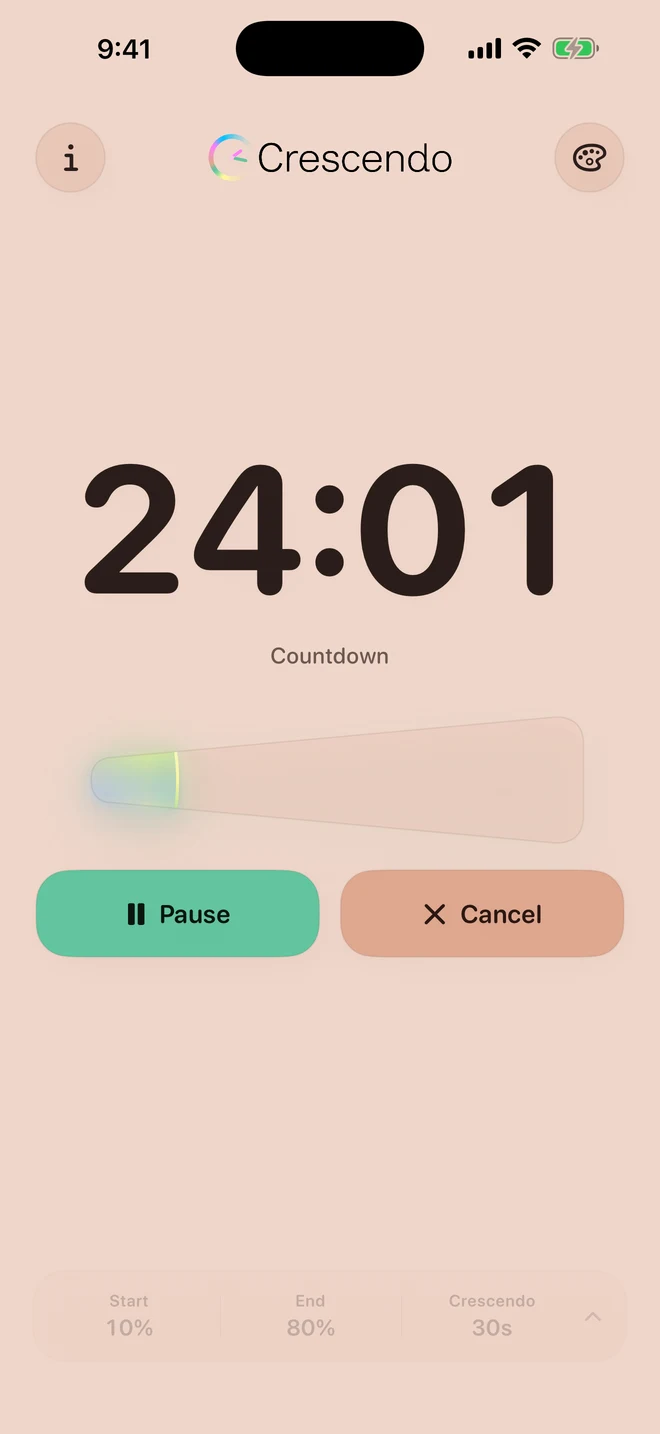
Set your time and settle in. When the countdown ends in Crescendo, your chosen sound gently builds.
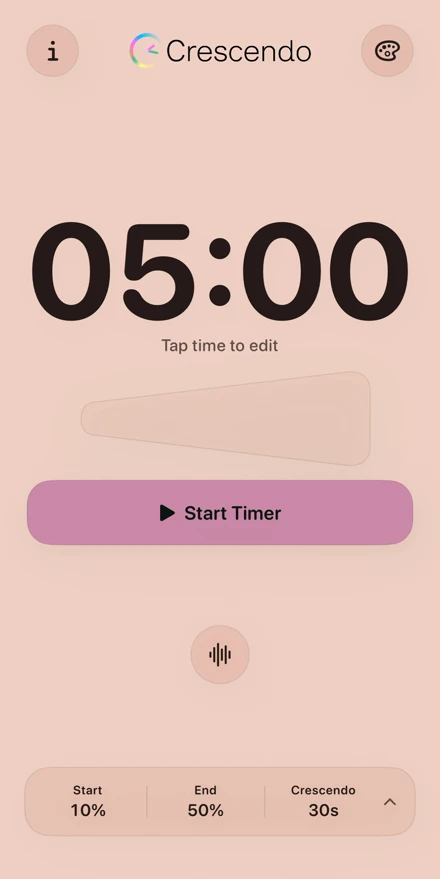
Choose Soft Chime, Bell, or Ambient Tone. Set the starting volume, ending volume, and how long the fade-in takes during in-app playback.
For the full custom fade-in and visuals, keep Crescendo open while your timer finishes. How background alerts work ↗
- 01
Set your moment.
Tap the time. Enter your duration. Choose your sound.
- 02
Give it your attention.
A clear countdown keeps time. Pause and resume when plans change.
- 03
Return at your pace.
Stop the sound, or tap Repeat to begin the countdown again.
Clay Blush
Make it feel like yours
Find your
kind of calm.
Five themes. One clear countdown. Choose a little warmth, a little color, or a darker place to focus.
Select a theme to see a real app screenshot.
Watch the five themes
Real iPhone recording. Optional soundtrack: an edited Soft Chime preview.
Your timer, at a glance
Life moves.
Your timer stays close.
Follow your countdown on the Lock Screen with Live Activities, and in the Dynamic Island on supported iPhones. Pause and resume from the Lock Screen.
This recording shows pause and resume. The optional Bell soundtrack is an edited preview, separate from the silent countdown.
Your focus comes first
Just you.
And your time.
No ads. No tracking. No account to create. Crescendo works offline and keeps your timer settings on your device.
Read the privacy policyA few useful details
Before you begin.
What happens when my iPhone is locked?
For the full custom fade-in and Crescendo visuals, keep the app open while your timer finishes. If the timer finishes while your iPhone is locked or Crescendo is already in the background, iOS delivers the alert through its alarm or notification interface, with different appearance and controls. Alarm or notification permission is required. Notification fallback sounds can be suppressed by Silent Mode or Focus.
Once the timer sound has started in Crescendo, it continues playing when you leave the app for the Home Screen.
Can I use Crescendo offline?
Yes. Your timer and settings work on your device. There is no account to sign in to, and your settings are stored locally.
Where can I get help?
Visit Infinity Ridge support or email support@infinityridge.dev. Include your device, iOS version, and a short description of what happened.
Crescendo: Fade-In Timer
A little more calm.
Ready for your iPhone.
Available for iPhoneMake room for your next moment.
View on the App Store Say hello to the studio ↗